Sister Other Paranoia System Requirements
Steam’s Windows minimum and recommended specs, with honest gaps for macOS details.
Start with the Steam listing
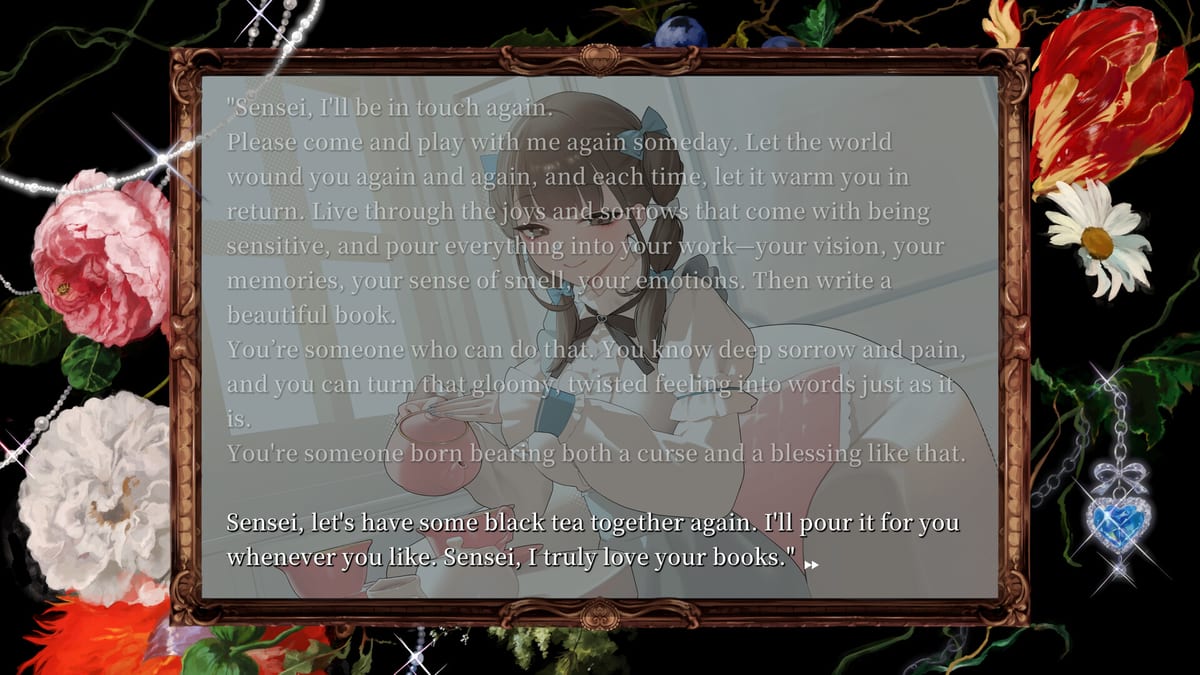
Sister Other Paranoia is a classic full-screen text visual novel: you read, click to advance, and can right-click to hide text and sit with the art. That interaction model is lighter than a modern 3D action game, but you still need a stable 64-bit OS, enough RAM for the client and browser overlays, a DirectX 11 class GPU path on Windows, and free disk space for the install plus future patches.
Steam app 4240150 publishes the authoritative Windows table. This page restates that table for planning and explains what is still thin in public materials—especially detailed macOS hardware lines—without inventing fake Apple silicon benchmarks.
Windows minimum requirements
According to the Steam store page, minimum specs require a 64-bit processor and operating system, and list:
- OS: Windows 10
- Processor: Generic dual-core processor
- Memory: 6 GB RAM
- Graphics: Recent DirectX 11-capable GPUs, including integrated graphics
- DirectX: Version 11
- Storage: 3 GB available space
If your machine clears this bar, you are in the intended low-end window for launching a text-forward VN with illustrated CGs and music. Integrated graphics are explicitly acknowledged at the minimum tier, which matters for laptops that never received a discrete GPU.
Windows recommended requirements
Steam’s recommended block also requires a 64-bit processor and OS, and lists a much stronger comfort configuration:
- OS: Windows 10 64-bit
- Processor: AMD Ryzen 7 2700 (8 cores / 16 threads)
- Memory: 16 GB RAM
- Graphics: GeForce RTX 2060
- Storage: 6 GB available space
Recommended rows on Steam are often written for silky media playback, heavy multitasking, high-resolution displays, or future-proofing rather than a hard “the game will not boot below this” gate. Sister Other Paranoia’s genre makes the minimum row the more important pass/fail check for most readers. If you are far below recommended but above minimum, expect to rely on closed overlays, modest background apps, and up-to-date GPU drivers more than on ultra settings that may not even exist in a VN options menu.
macOS reality check
Press and launch framing name Windows and macOS for the Steam release window around mid-August 2026. Public store scrapes available for this wiki pass emphasize the Windows requirement table. We will not invent macOS version numbers, Apple silicon versus Intel splits, or Metal feature levels that Steam has not clearly presented in the materials we are using.
Practical advice for Mac players until the store UI shows a full Mac table on your account:
- Open the Steam page while on macOS and confirm the platform checkbox actually includes Mac for your region.
- Check whether Steam lists a separate Mac minimum block after login.
- Leave headroom for the Steam client itself, not only the game depot.
- If a demo appears through official Discord messaging, use that demo as the real compatibility proof.
What visual novels still need from your PC
Even when CPU demands look modest, players underestimate:
- Disk space after updates: the minimum 3 GB and recommended 6 GB figures are planning numbers; leave extra free space so Steam can stage patches.
- Fullscreen text readability: a stable display output and comfortable resolution matter as much as raw GPU score.
- Audio stack: Aiobahn +81’s music is part of the experience; broken exclusive-mode audio settings can hurt more than a “slow” CPU.
- Overlay conflicts: recording software, RGB suites, and aggressive overlay tools cause more VN crashes than polygon count ever will.
Pairing specs with launch logistics
Hardware clearance is only one gate. Also confirm:
- Release date so you know when the unlock window hits your timezone
- Price so the cart total matches your budget
- Wishlist so Steam can notify you at availability
- Content warnings so you are not installing a game whose themes you want to avoid
- Gameplay for how the classic read / click / hide-text loop actually feels
Staff presentation and why assets matter
Sister Other Paranoia’s presentation comes from a named team: nyalra on scenario and direction, Ohisashiburi on art, Aiobahn +81 on music, Maruino on UI, Yuto Hama on logo, and HAYAO on programming. UI and art pipelines can ship high-resolution CG galleries even when gameplay input is only clicks. That is why storage and stable GPU drivers still deserve a glance on a “lightweight” genre page. More credit context lives on staff.
Pre-install checklist
- Confirm Windows 10 64-bit or newer on the machine you will use, or verify Mac support on Steam directly.
- Compare RAM and free disk space to the Steam table above.
- Update GPU drivers if you are on Windows discrete graphics.
- Close heavy background downloads before installing on launch day.
- If you plan to stream, test your encoder on the demo or another VN first so launch night is not your first capture experiment.
- Re-check the Steam page if patches change depot size after release.
Related wiki links
- Release Hub
- Release date
- Price
- Wishlist
- Story overview
- Guides for first-session setup help
- Tools if you want a theme comfort check before downloading
Honest limits of this page
We will not invent benchmark FPS charts, “best settings” presets, or unverified Mac model lists. If Steam edits the requirement block, Steam wins. Sister Other Paranoia remains a read-driven dark visual novel; clear the published Windows minimum, confirm Mac support on the store if that is your platform, and spend your remaining attention on whether the story’s mature psychological material is something you want in your library.
Frequently Asked Questions
Quick answers to the most common questions.
Can Sister Other Paranoia run on integrated graphics?
Steam’s minimum Windows graphics line includes recent DirectX 11-capable GPUs and explicitly mentions integrated graphics. Still verify on your own machine, ideally via any official demo access.
How much storage do I need?
Steam lists 3 GB available space at minimum and 6 GB at recommended. Leave extra free space for updates.
Are macOS requirements listed here in full?
Press names macOS as a launch platform, but this page does not invent a full Mac hardware table. Check Steam on a Mac for the live platform details.
Is this a demanding game?
It is a classic text visual novel, so CPU needs are usually modest compared with 3D games. Stability, disk space, and display comfort matter more than ultra-wide benchmarks.